 ExploreZone
For businesses
Sell today's catch
For seafood sellers: licence, products, the daily catch with photos, tomorrow's catch and orders by weight.
Who this is for #
Fishermen and fish shops registered as a Seafood seller. Customers reserve by weight and collect from you. Seafood is pickup only.
Before you can sell #
- In the Seafood tab, enter your FSSAI licence number and its valid until date, and accept the handling declaration.
- When everything is filled in, the tab shows Ready for ExploreZone to approve ordering.
- Our team checks the licence and approves ordering. You are told when it is done.
Products #
In the Seafood tab, create reusable products (for example Seer fish, Prawns) so you do not retype them every day.
Post today's catch #
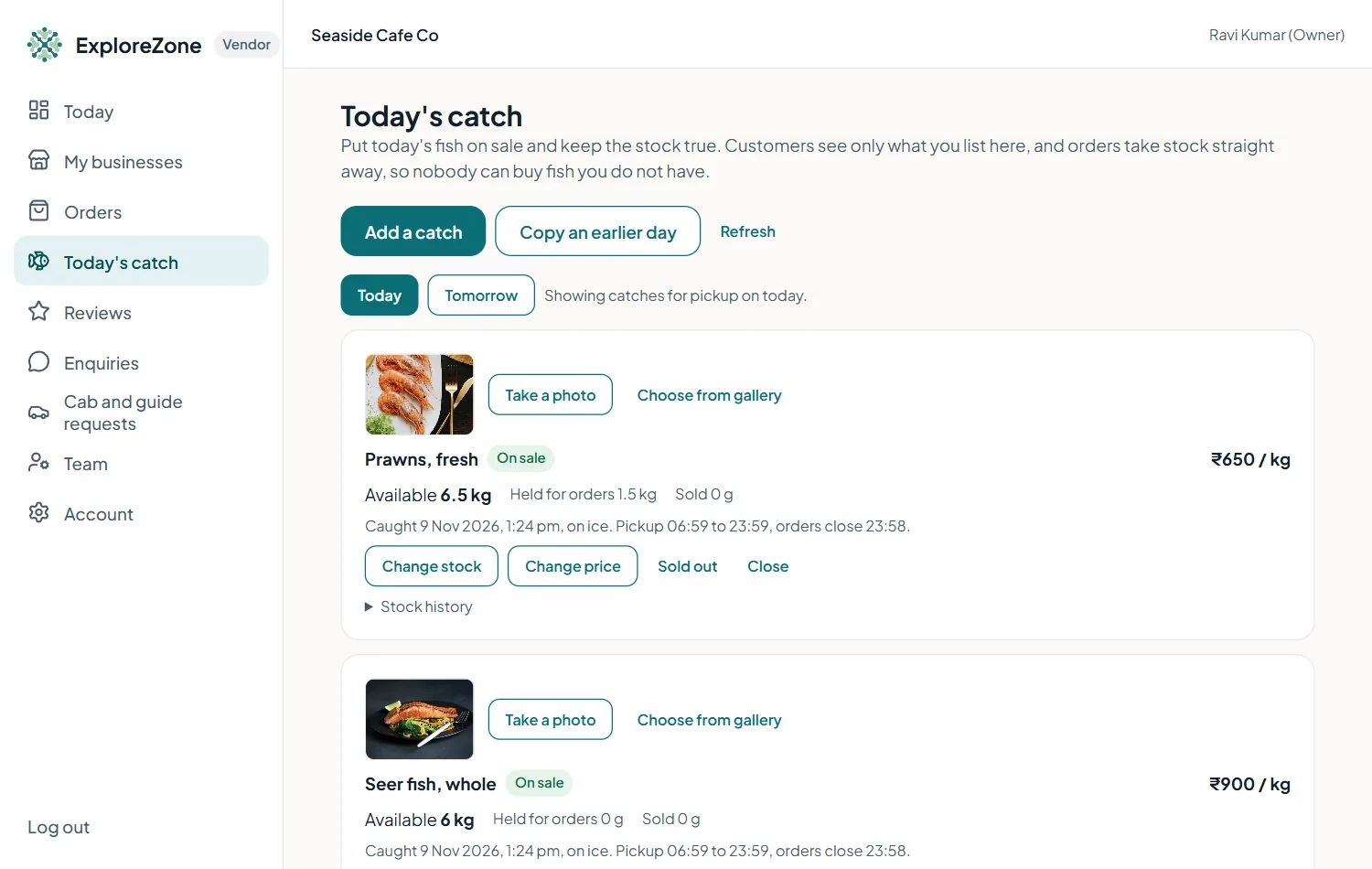
- Open Today's catch.
- Choose Today or Tomorrow at the top.
- Press Add a catch. Choose the product, the price per kilo, the kilos available, when it was caught, how it is stored, the order cut-off and the pickup window.
- Add a photo: press Take a photo to use the camera. A catch cannot go on sale without a photo.
- Press Put on sale.
Orders for fish #
Customers reserve a weight. Accept the order, prepare it, and when they come, enter their 6-digit code. The kilos are taken off what is available, and the catch closes when it is sold out or the cut-off passes. Mark the order as paid when you receive cash or UPI.
Last updated 2026-11-15. Something unclear or out of date? Write to [email protected] or call 6383281461.